Introducing Collections: A Dedicated Space for Your Research
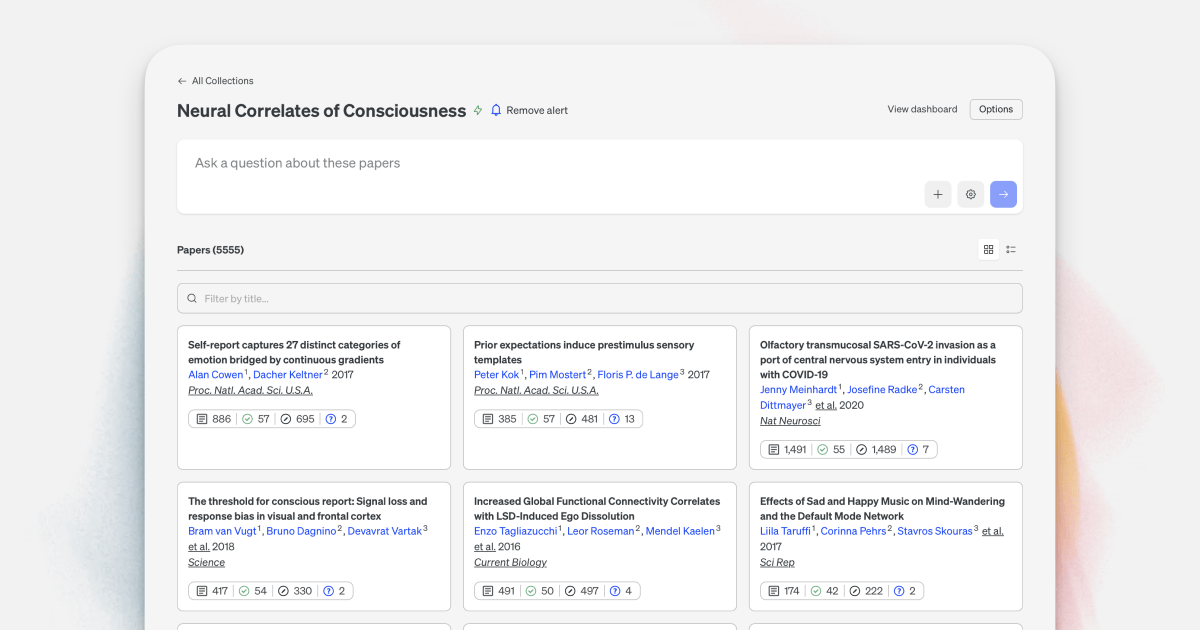
Research rarely happens one paper at a time. You gather sources, scope a question, watch for new evidence, and circle back as the literature evolves. Collections brings all of that into one place — a dedicated space to gather papers, monitor them over time, and run focused, scoped questions against exactly the set you care about.
If you've used Scite Dashboards before, Collections will feel familiar. We've extended that functionality into something broader, and existing dashboards have already migrated over. The monitoring you relied on still works exactly as it did — there's just a lot more you can do now.
Watch the full walkthrough:
Finding Collections
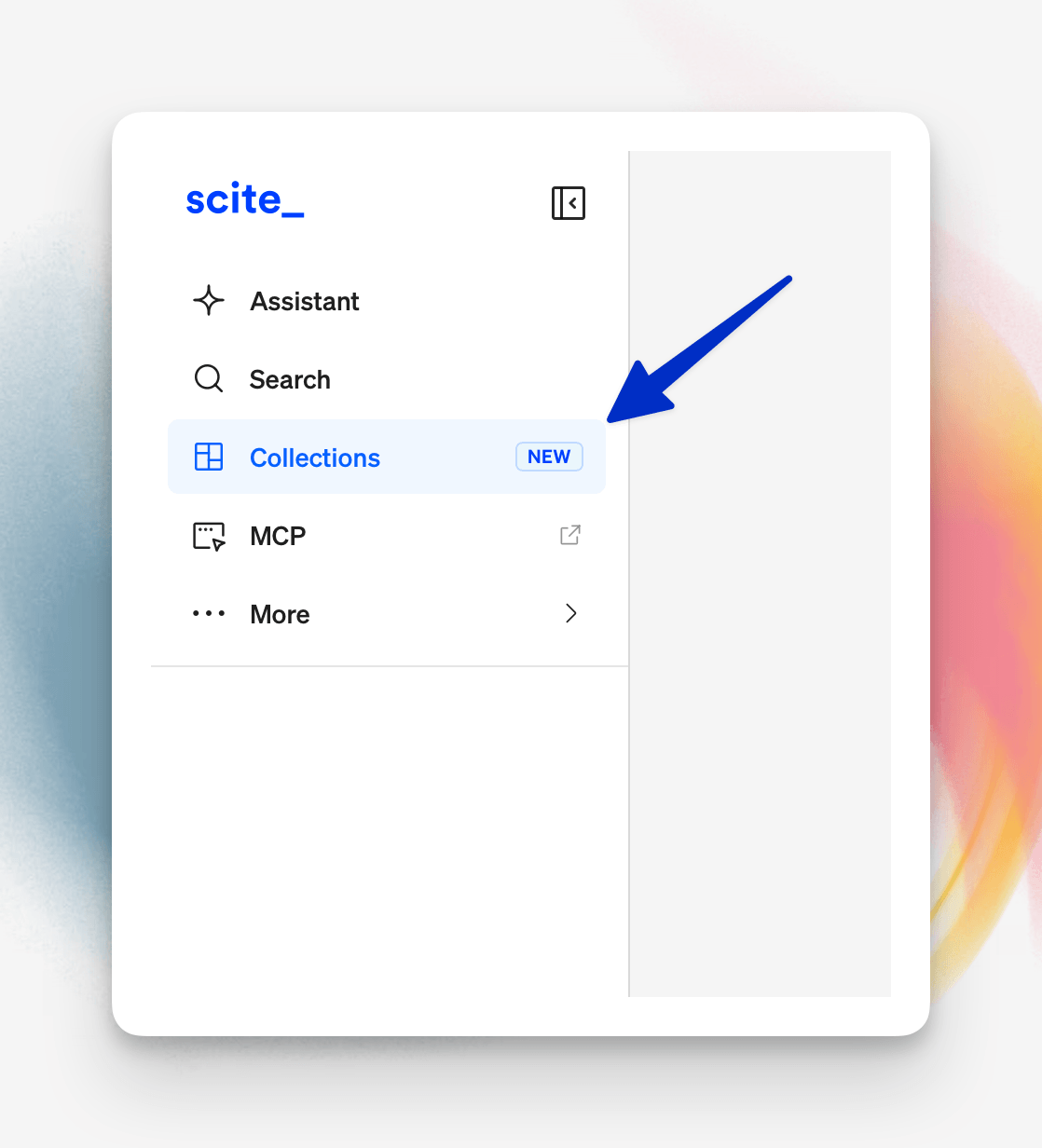
Collections now lives in the sidebar alongside Assistant and Search. Open it for the first time and you may already see data there — those are your migrated dashboards, carried over automatically.
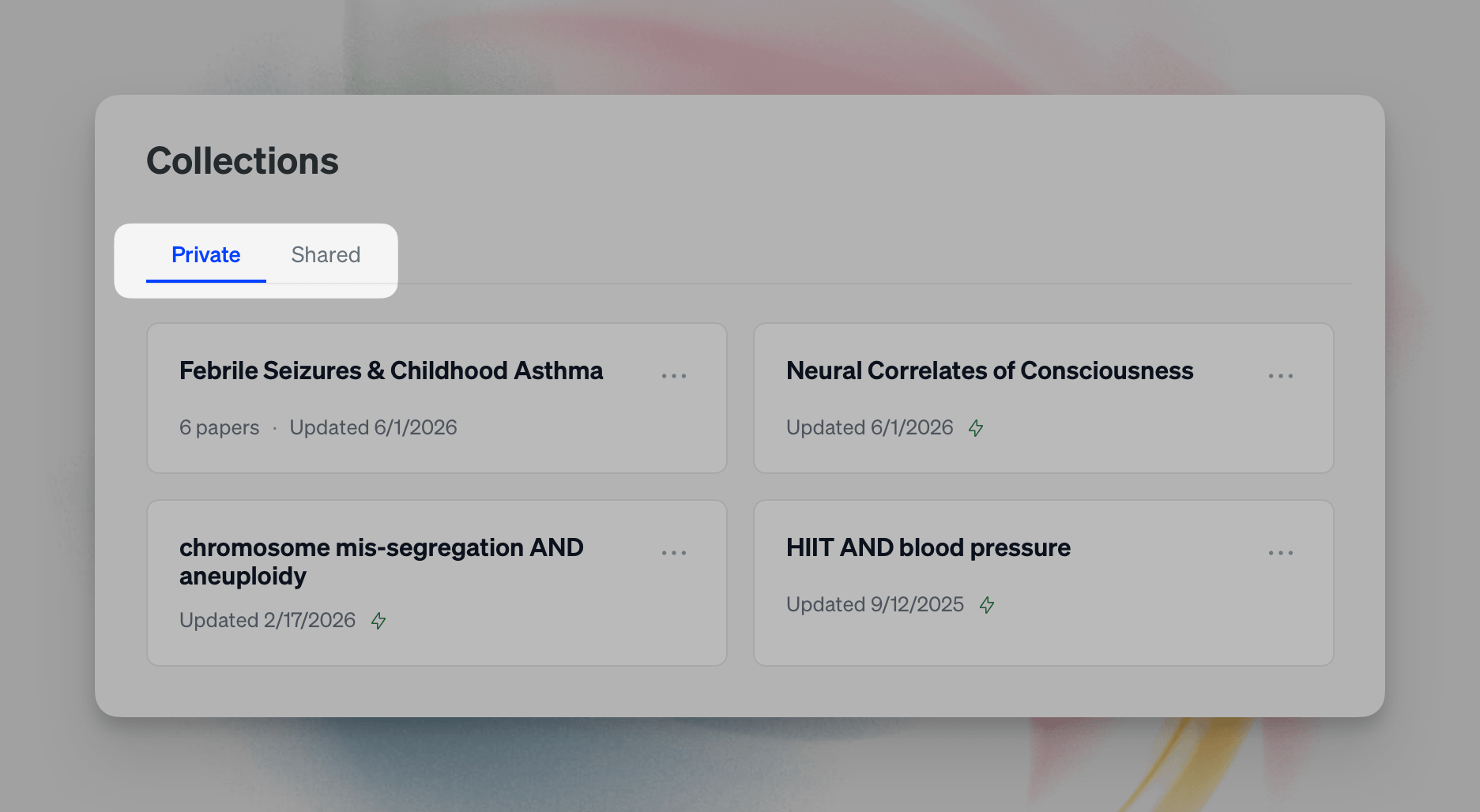
Your collections are organized into two tabs:
- Private — collections unique to you.
- Shared — if you're on an Organization account, collections shared across your organization. (When you create your first shared collection, it defaults to sharing with your organization.)
Three Ways to Create a Collection
1. From a search
This is the fastest way to build a meaningful collection. Run a search, narrow it down with Scite's filters, and save the result set as a collection.
In the walkthrough, we search neural correlates of consciousness, then tighten the set:
- Limit the date range (for example, 2016–2026)
- Filter to contrasting citations only
- Narrow further with any additional filters you need
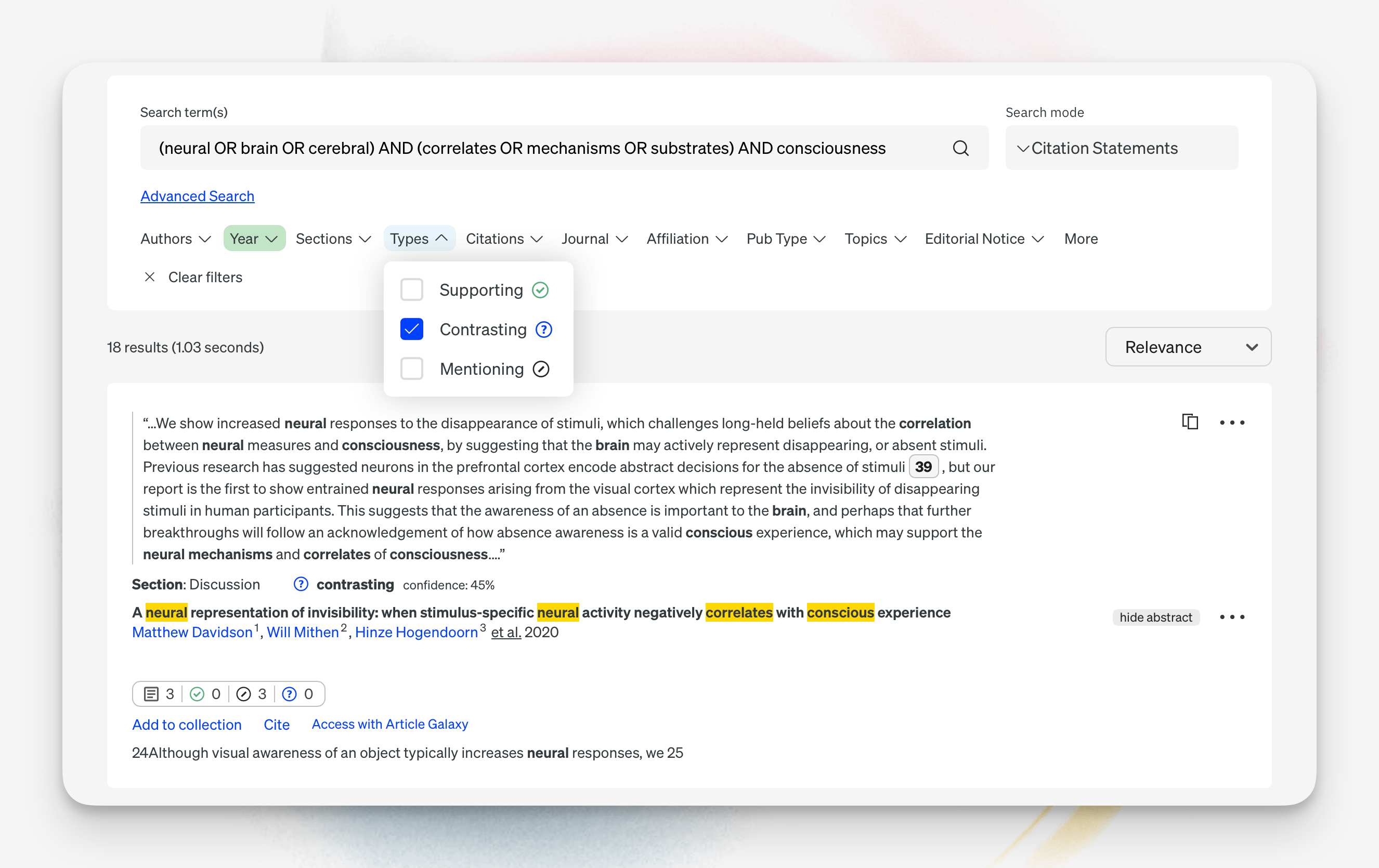
Click Create Collection, give it a name, and optionally save the underlying search query so you can return to it later. Collections built from a search carry a lightning-bolt icon — that means they update automatically as new matching papers appear.
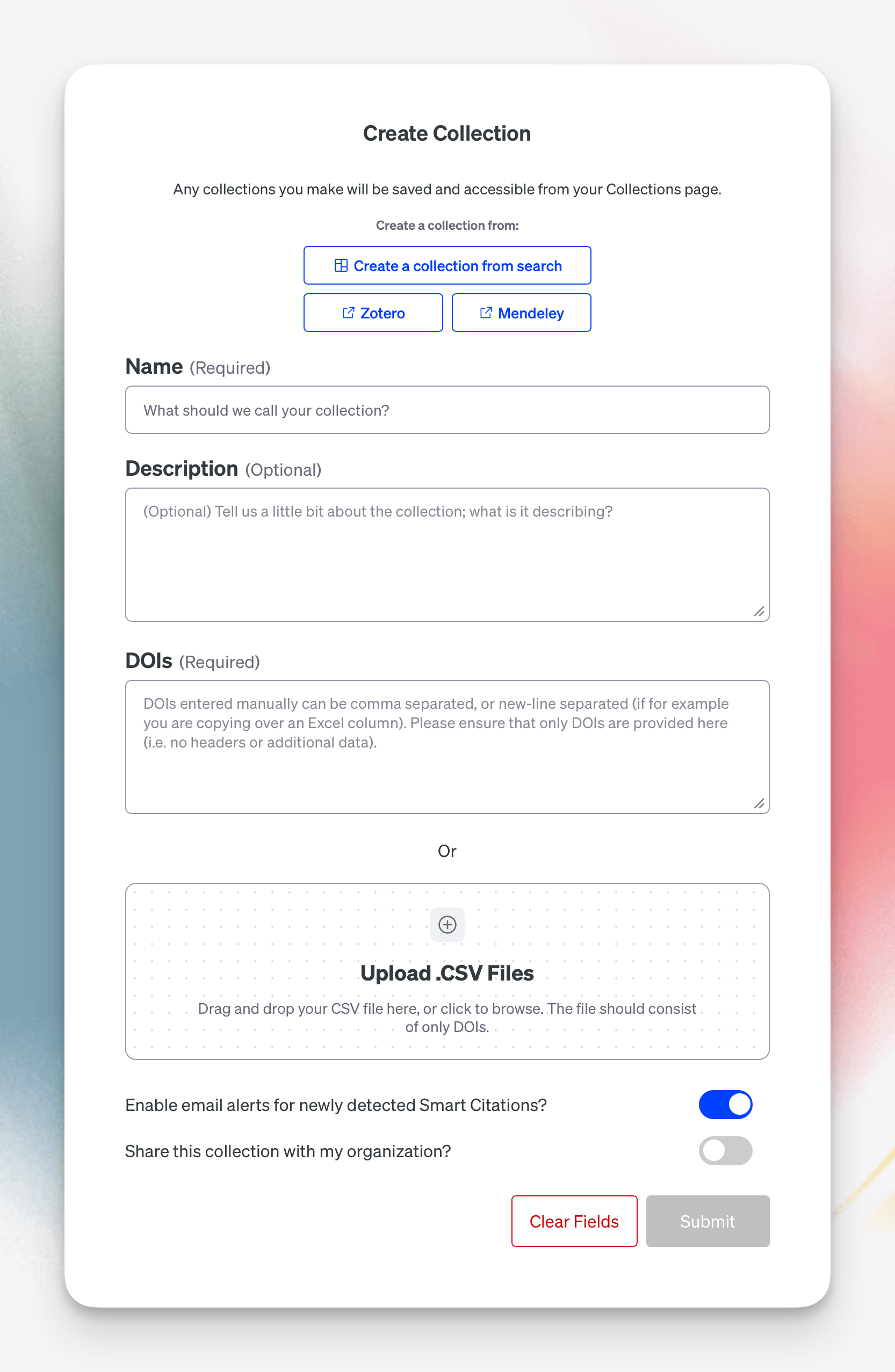
2. From a reference manager
Pull papers directly from a reference manager like Zotero or Mendeley. Set a name and optional description, and you're set.
3. Manually, from a list of DOIs
Provide DOIs directly — a single DOI, multiple DOIs separated by commas or new lines, or a CSV. You can also build a collection on the fly from Assistant references (more on that below).
By default, every collection has email alerts enabled for newly detected Smart Citations. Whenever new Smart Citations are built around the papers in your collection, you'll get notified.
Inside a Collection
Open a collection and you land on a dedicated page showing every paper you've gathered in one spot.
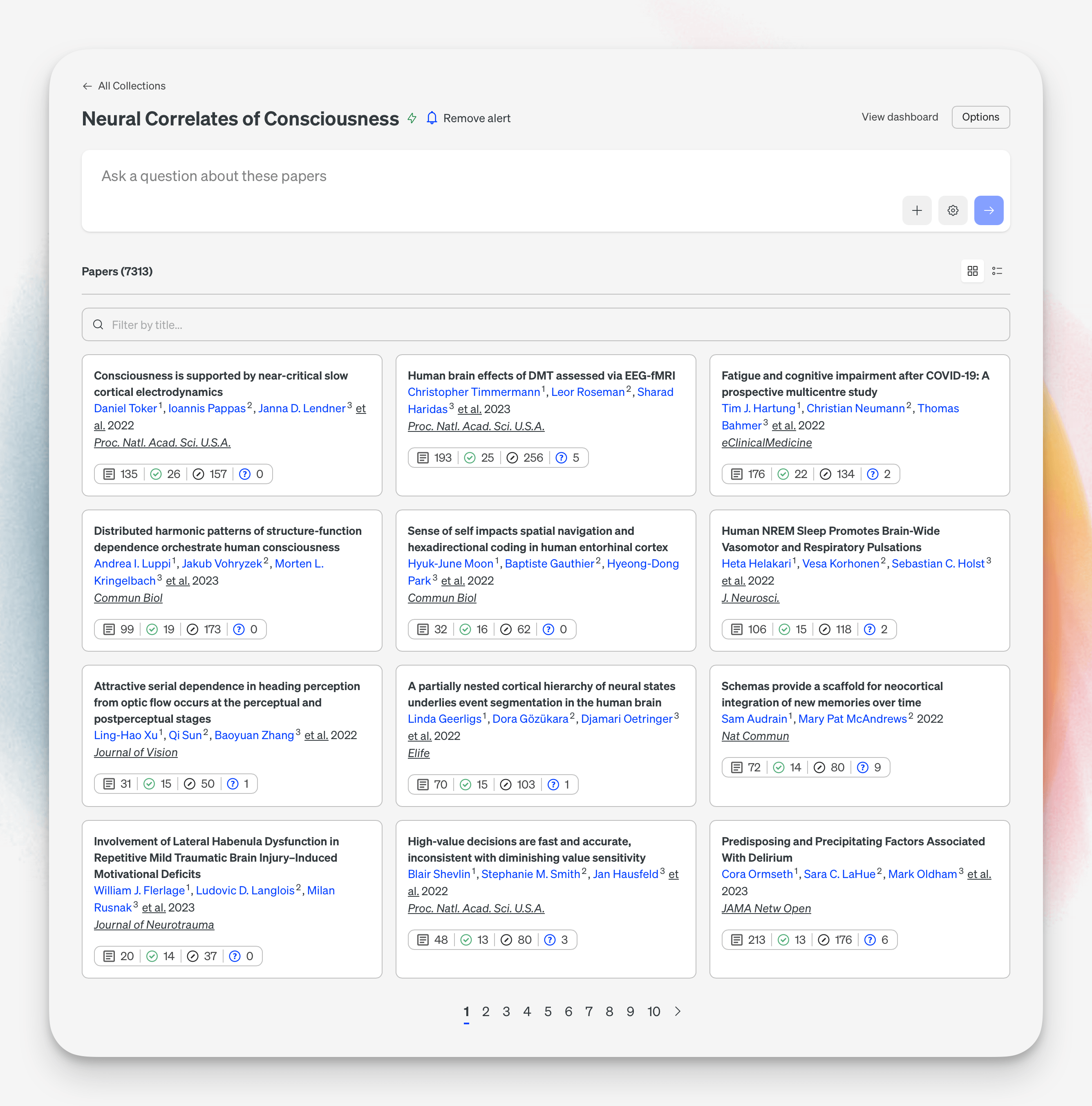
From here you can:
- See your total papers at a glance
- Toggle between card view and list view
- Search or filter by title to find a subset
- Page through the full set
- Manage your alert (on by default — toggle it off anytime)
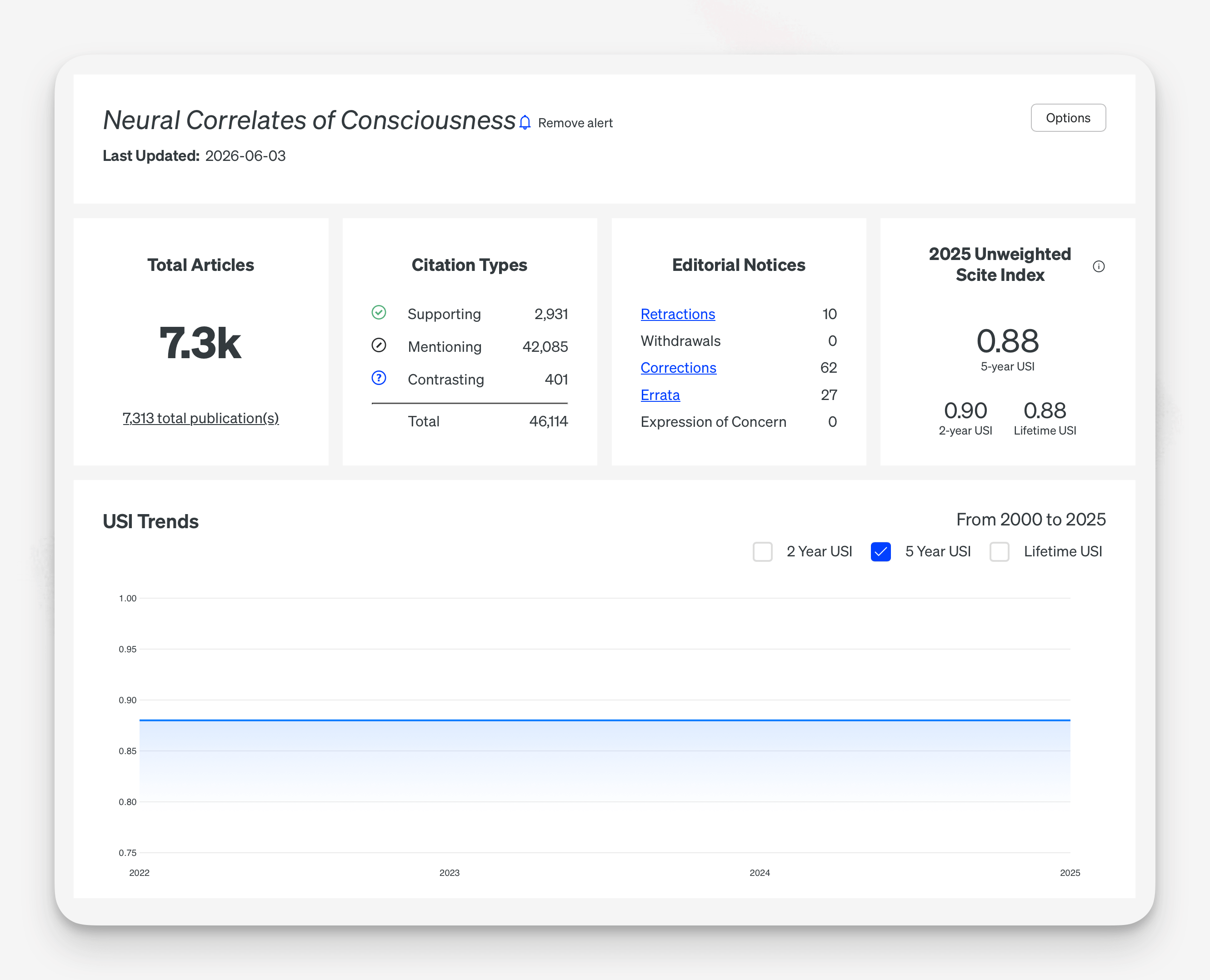
- View as Dashboard for the familiar summary view: Scite Index, author information, all articles, and export
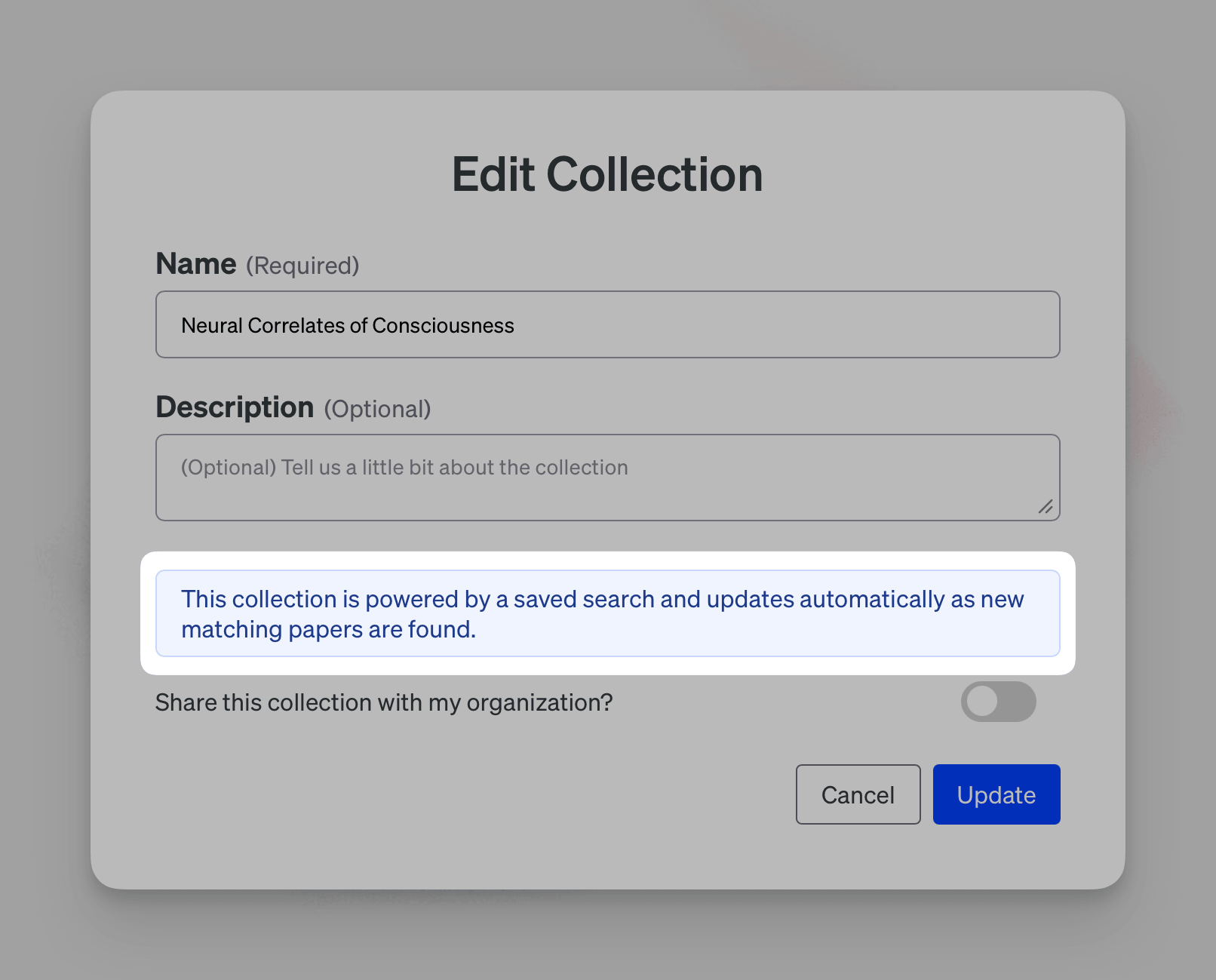
A note on search-based collections: because the lightning-bolt collections update automatically from their saved search, you can't manually add or remove individual papers from them. You can still rename them, edit the description, share them, or delete them — but the paper set stays in sync with the search.
Ask Questions Scoped to Your Collection
This is where Collections connects to the rest of Scite. At the top of any collection there's a prompt box. Ask something like "Show me the key question of debate among these papers" and you're taken into the Assistant experience — with the collection scoped to that chat.
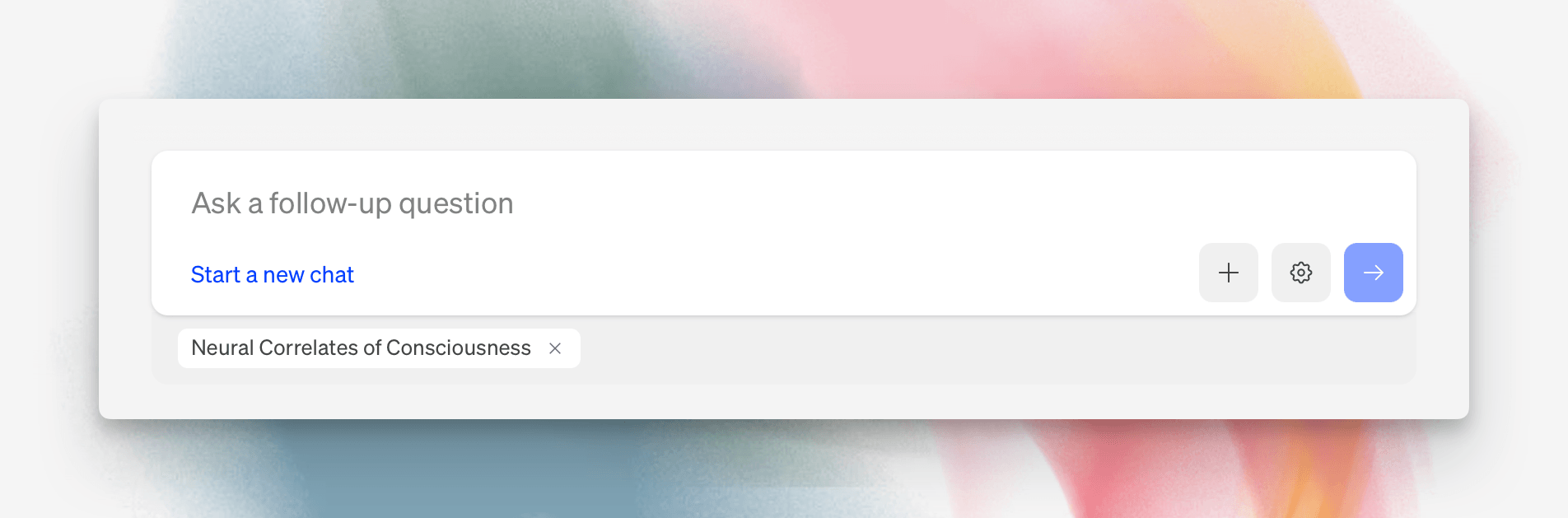
Assistant references only the papers in your collection. It ranks the most relevant papers for your question, builds a search strategy, fact-checks, and assembles a verified response — all the things Scite does well, focused on exactly the set you've curated.
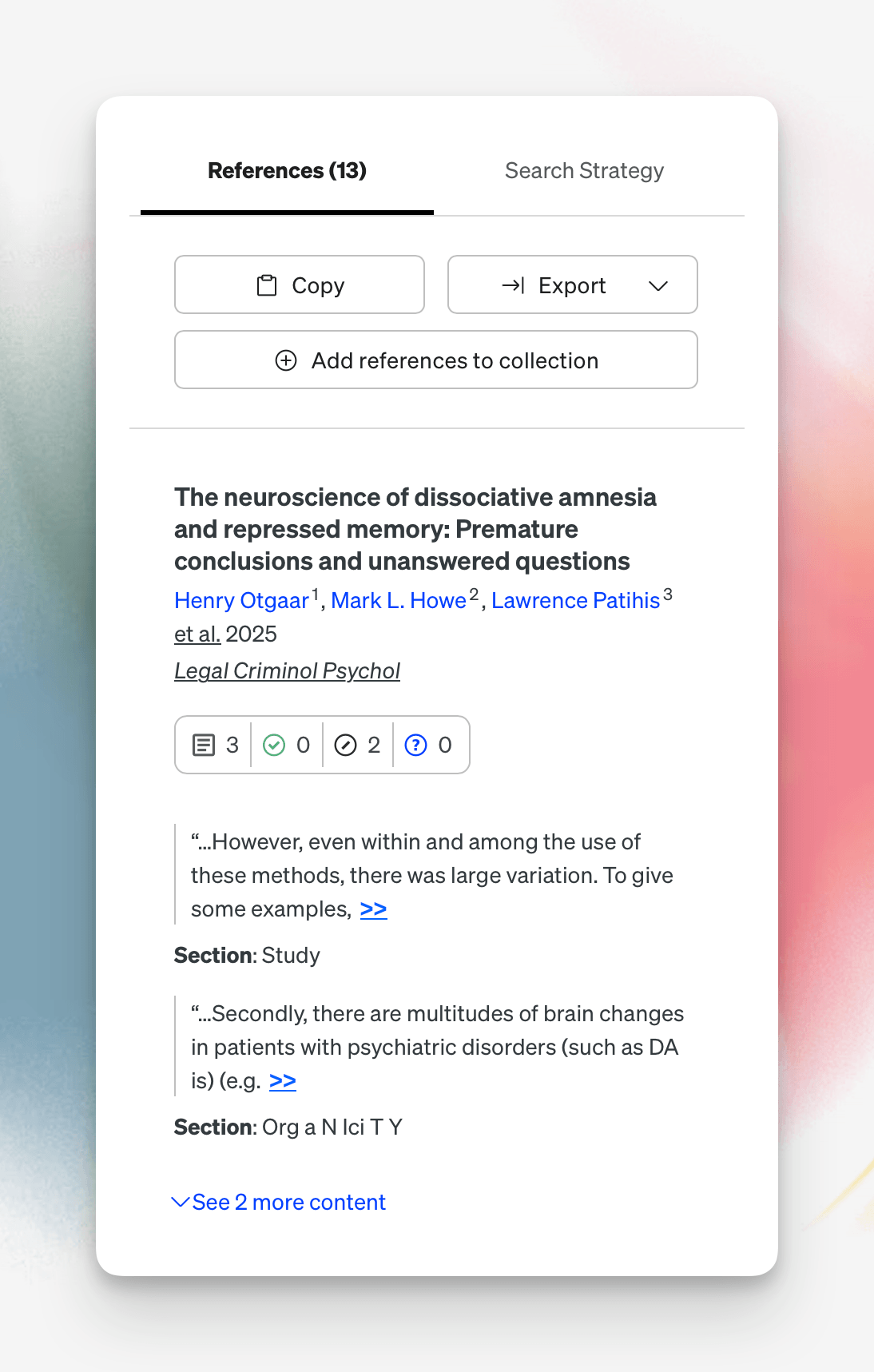
Build Collections from Assistant Answers
It also works in the other direction. When Assistant returns an answer, the references sidebar includes Add references to collection. You'll see each reference's title and DOI, alongside your list of collections.
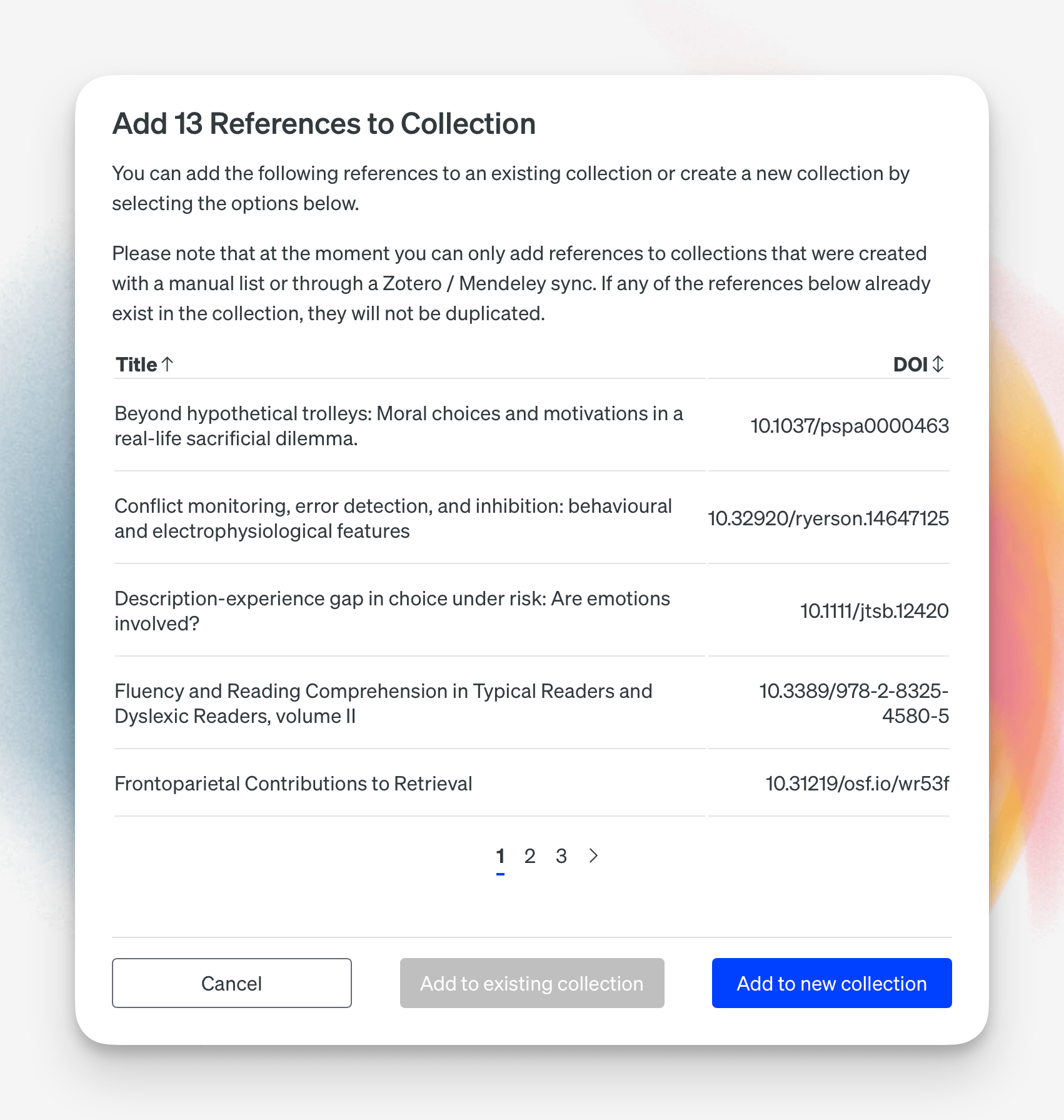
From there you can:
- Add references to an existing collection, or
- Create a new collection directly from the answer's references
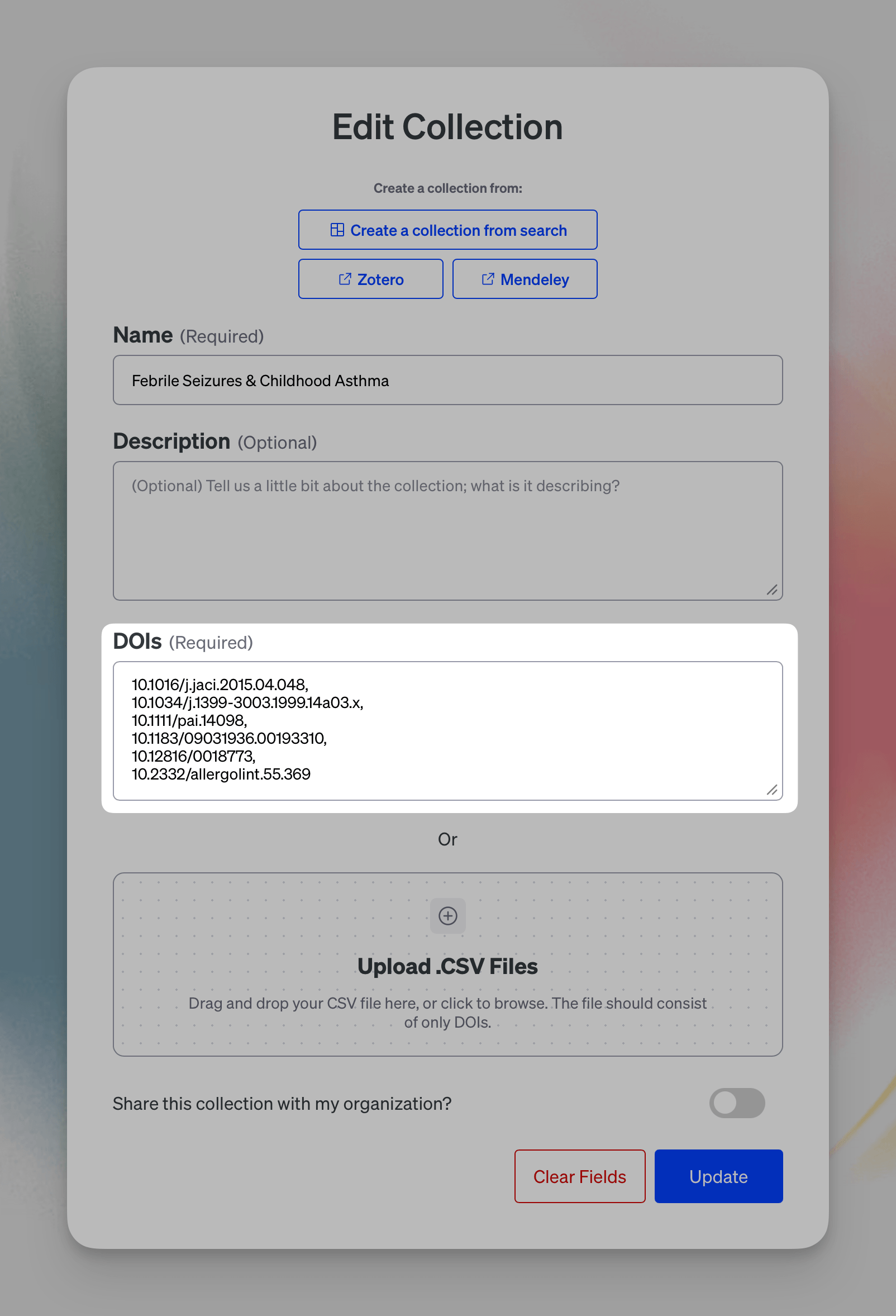
A manually created collection like this is fully editable. Remove a paper that's older than what you want, and your total updates immediately. Edit the collection and you'll see the full list of DOIs, where you can remove entries and update the set.
What's Next
The goal of Collections is to give you a space to gather information and run more scoped, focused queries against it. We're planning to do a lot more here — adding support for additional file types and other kinds of data so you can bring more of your research workflow into a single collection, whether you're working across the platform or through the Scite MCP.
Open Collections in the sidebar to get started.
Questions? Reach us at hi@scite.ai or visit the help center.